The idea sounded simple: a grandmother walks toward the camera, gets bumped, and falls into a swimming pool. Her sunglasses, cocktail umbrella, dentures, and piña colada pass inches from the viewer in slow motion. She comes back up with wet hair and a deadpan expression.
Getting that sequence into an AI video took roughly a day and around $25 in API spending across our experiments.
Our most useful finding: use reference images to establish what things look like, then use precise visual language to explain where they move, when they move, and where they end up. Give the model room to compose the intermediate frames.
This is our practical Seedance 2.5 prompt engineering guide, built around that experiment. The prompts and corrections below are useful starting points for a bullet time bump video, product close-ups, and other scenes with several moving objects.
Our supplied export runs for 17 seconds, including an extension. The original prompt plan was 10 seconds; the worked example below reflects that plan rather than a frame-exact transcript of this export.
| Experiment | Details |
|---|---|
| Time spent | Roughly one day |
| API spending | About $25 across the experiments, not the price of one clip |
| First approach | Five composed stills with instructions for each beat |
| Later approach | Character and prop references with timestamped action |
| Main challenge | Keeping the camera, falling woman, and flying objects consistent |
These are observations from an exploratory session, not a controlled comparison between model versions. Our session included an interface labeled Seedance 2.0 Fast, so we are not attributing every attempt or dollar spent exclusively to 2.5. ByteDance's official Seedance 2.5 examples support the reference-image-plus-timeline structure used here.
1. Reference images worked better for us than five composed frames
We first tried creating five specific frames with an image model, then giving the video model instructions for the action between them. That approach was appealing because we could art-direct each important moment before generating any motion.
In our tests, it did not work as well as expected. Each still added another fixed composition for the video model to reconcile. A pose that looked good by itself could be awkward to connect to the next pose, especially while the camera was moving.
Our interpretation was that we had constrained too much of the frame composition. We wanted the model to solve the motion, but had already made many of the decisions that motion depended on.
We got more useful results when we switched to references for the person and individual props. The model could decide how to arrange them as the action unfolded.
| Approach | What we specified | What we learned |
|---|---|---|
| Five composed frames | Appearance, pose, framing, and position at several moments | Too rigid for the moving sequence we were trying to make |
| Character and prop references | Identity and object appearance, with motion described in text | Left more room for the model to compose connected action |
This does not mean keyframes are always a poor choice. It means they were not our best starting point for this particular shot. We also would not describe five-frame input as a feature that Seedance 2.5 universally removed: the controls available depend on the interface and endpoint you use.
2. Tell Seedance what each reference image controls
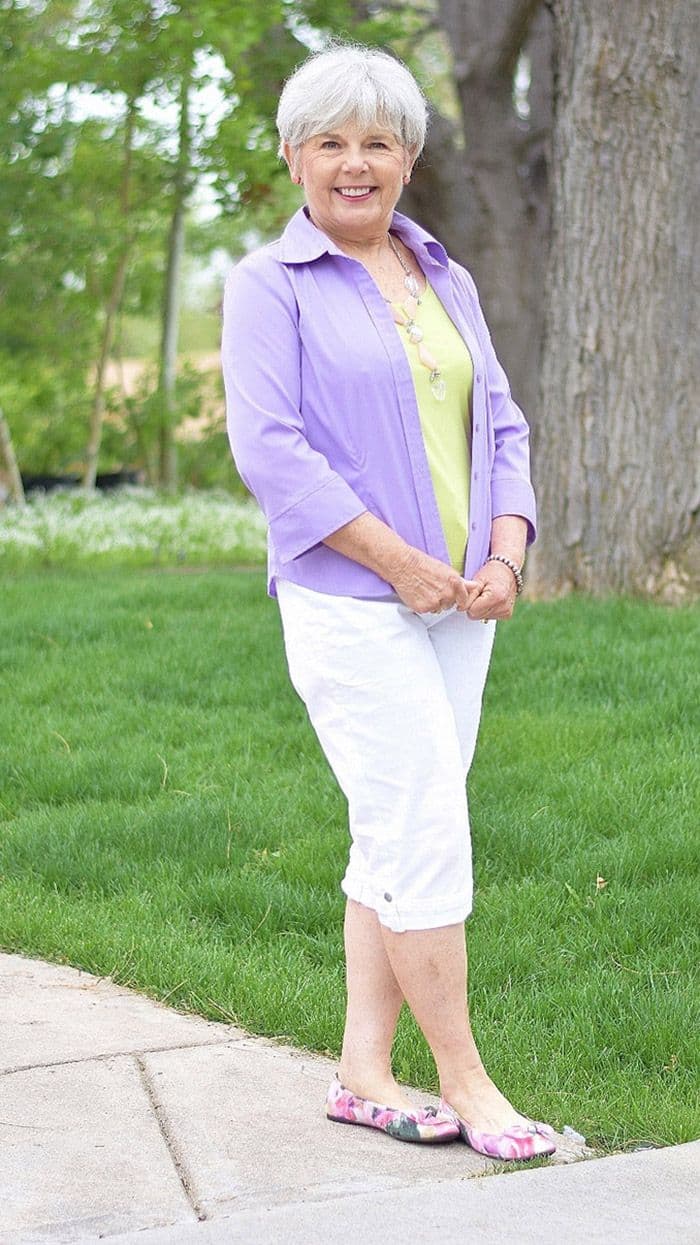
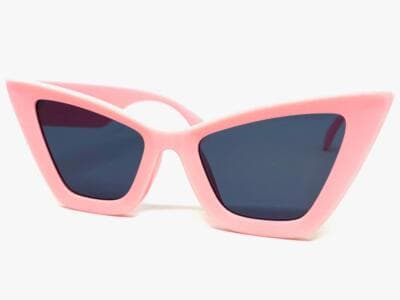
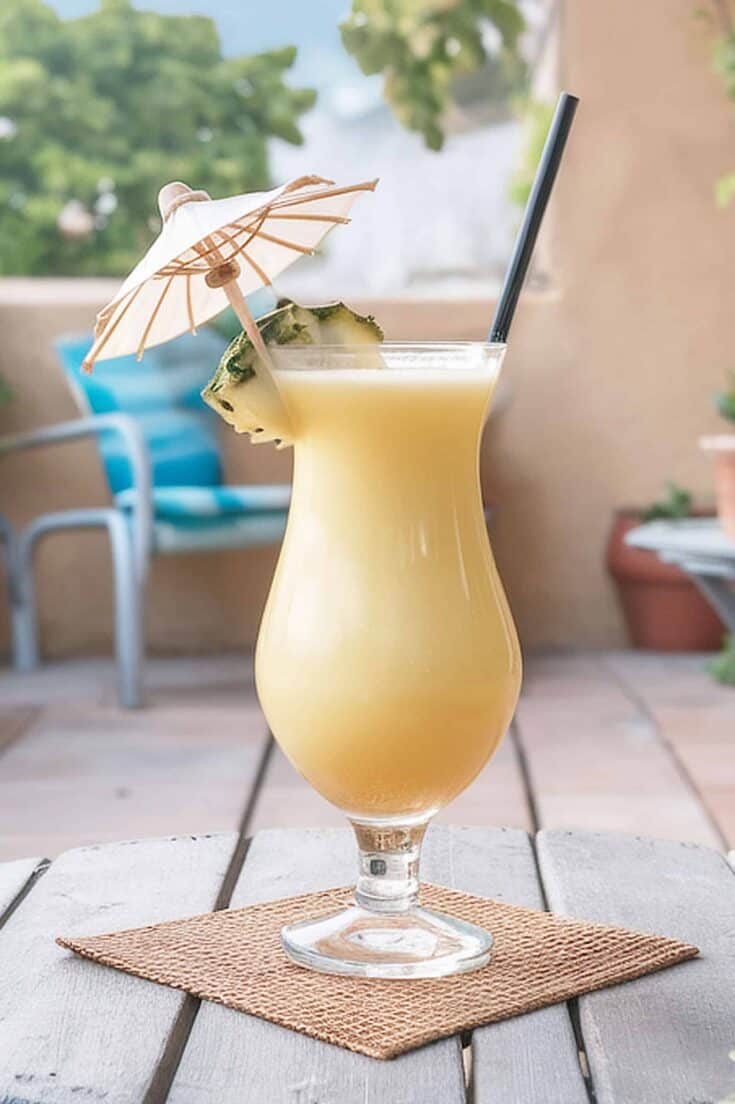
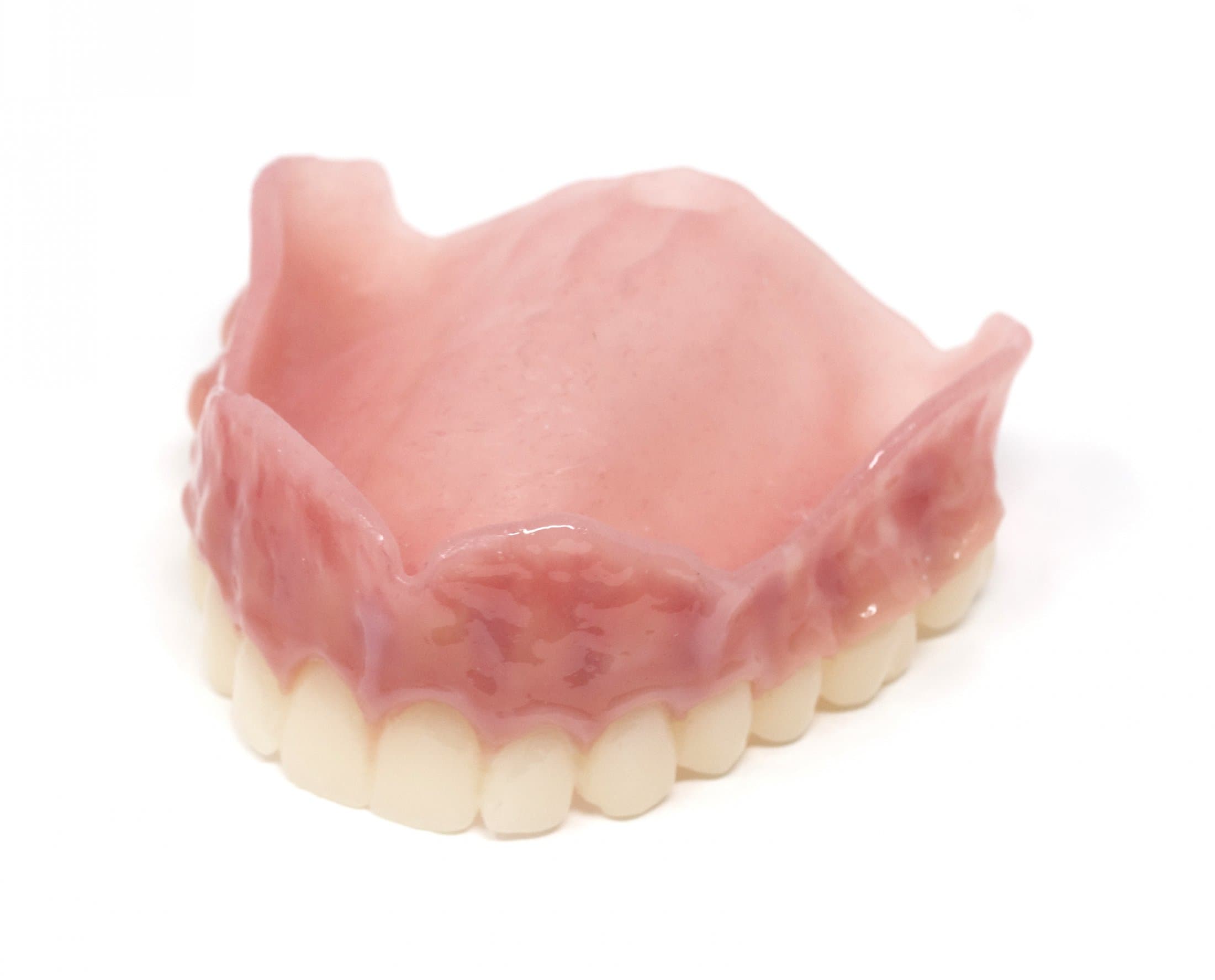
Our main references were the grandmother, pink sunglasses, a piña colada, and an upper denture. Each image had one clear job.
An image alone does not explain which details matter. We named those details and made exceptions explicit:
Use the grandmother reference for her face, hair, and clothing.
Replace her shoes with flip-flops.
Use the sunglasses reference for the pink frame shape and dark lenses.
Use the drink reference for the glass shape, creamy liquid, and umbrella.
Use the denture reference for the white teeth and pink upper gum base.That small shoe instruction matters. Asking for an identical outfit and then asking for flip-flops creates a conflict if the reference shows different footwear.
Upload the references and associate them with the relevant instructions using your editor's image-reference controls. The complete prompt below uses readable reference names so you can replace them with your own image mentions.
3. Work out the camera path before the fall
We used Claude Fable and GPT Astra to help draft prompts. They were useful for organizing a sequence, but we still had to check the spatial logic ourselves.
One early problem was pool placement. For this shot, the woman needed to fall forward into a pool directly ahead of her. Placing the pool beside her walking path made that movement harder to explain.
We also wanted to hide the pool in the opening close-up. That is a framing choice: start tightly on the flip-flops, then reveal the water as the camera travels over the edge and the framing opens. The pool still exists outside the opening frame.
| Camera instruction | What it establishes |
|---|---|
| “Camera 15 cm above the paving stones, framed tightly on her lower legs.” | A specific opening height and crop |
| “She walks toward the lens while the camera dollies backward.” | Separate movement directions for subject and camera |
| “The camera rises and tilts upward from her feet to her face.” | Camera elevation and viewing angle both change |
| “The camera crosses the pool edge and retreats over the water, looking back at her.” | The camera's route and continued orientation |
| “The dentures fill most of the frame and pass close to the right side of the lens.” | Apparent size, proximity, and exit direction |
“Zoom” is not interchangeable with moving the camera. For this effect, the relationship between the foreground props and the woman behind them matters. We described physical camera travel and the objects' approach separately.
The ending needs the same care. Once the props pass behind the camera, their landings may be offscreen. We can hear those splashes while watching the grandmother fall. Asking to see every landing would require another camera movement and more time.
4. Use timestamps and name the order of events
We were more prescriptive about timing once we switched to reference images. Our original plan was:
| Time | Action |
|---|---|
| 0–2 seconds | Flip-flops walking toward the retreating camera |
| 2–4 seconds | Camera rises to reveal the grandmother and crosses the pool edge |
| 4–5 seconds | A passing man bumps her shoulder; she tips forward |
| 5–8 seconds | Props pass the lens in slow motion |
| 8–10 seconds | She hits the water and resurfaces |
This is an ambitious amount of action for 10 seconds. Four distinct close-ups and a readable reaction compete for time. Timestamps communicate the intended rhythm; they do not guarantee exact execution. Our later export included an extension. If the passes feel rushed, lengthen that interval or remove a prop before adding more description.
The most useful continuity correction was explicit ordering:
Objects pass the camera one at a time in this exact order:
sunglasses, cocktail umbrella, dentures, then the glass and liquid.
After an object passes the lens, it remains behind the camera
and continues toward the pool. It does not reenter the frame.Without that instruction, our descriptions could accidentally bring an object back. We might describe sunglasses passing the lens, then mention them again in a later list of things floating in front of the woman. That asks the model to reconcile conflicting positions.
Give each important object a starting position, a movement, and an exit. Once the umbrella leaves the glass, later descriptions should refer to a glass without its umbrella.
5. Replace metaphors with visible movement
Another edit we repeatedly made to AI-written prompts was removing decorative language. “The dentures rocket past the viewer” sounds lively, but it gives less useful direction than a concrete trajectory and camera distance.
We do not have evidence that the word “rocket” necessarily makes a model generate a rocket. Our reason for avoiding it is simpler: direct wording leaves less to interpret.
| Vague wording | Our preferred visual instruction |
|---|---|
| “The dentures rocket past.” | “The dentures approach teeth-first, rotate slowly, and pass the right side of the lens.” |
| “Everything flies everywhere.” | “The sunglasses pass first, followed by the umbrella, dentures, and glass.” |
| “She falls dramatically.” | “She tips forward with arms extended and feet lifting behind her.” |
| “An ultra-immersive close-up.” | “The object fills most of the frame and passes within centimeters of the lens.” |
Use an LLM to draft the prompt, then review it like a shot plan. Check where everyone starts, what causes each movement, and whether each action can follow the previous one. Adjectives cannot fix contradictory geography.
6. Our recommended Seedance 2.5 prompt structure
We would start the next experiment with this structure:
SHOT: Duration, aspect ratio, setting, and continuous shot or cuts.
REFERENCES: What each image controls, including any exceptions.
LAYOUT: Starting positions and movement directions.
[TIME RANGE]: Subject action, camera movement, and object movement.
CONTINUITY: Order of events, exits, and details that remain consistent.
ENDING: Final subject position, object destinations, and framing.
AUDIO: Ambient sound, action sounds, dialogue, and music if wanted.Here is a consolidated version of our 10-second bullet time prompt. It incorporates the corrections above; it is a starting recipe, not a promise of an identical output.
A single continuous 10-second cinematic shot, vertical 9:16.
Summer afternoon in a sunlit European hotel courtyard.
A paved walkway ends at a swimming pool directly ahead of the woman.
The pool is outside the tight opening frame.

Use the grandmother reference for her face, hair, and clothing,
but replace her shoes with flip-flops. Use the sunglasses reference
for pink frames and dark lenses. Use the drink reference for the
piña colada glass, creamy liquid, and paper umbrella. Use the denture
reference for the upper denture's teeth and pink gum base.
An open knitting bag with a ball of yarn hangs from her shoulder.

[00:00–00:02]
Camera 15 cm above the ground, dollying backward at walking pace.
Frame tightly on her lower legs and flip-flops as she walks toward
the lens. She is approaching the pool directly ahead.

[00:02–00:04]
Without cutting, the camera rises and tilts upward to reveal her
clothing, drink, sunglasses, and face. She walks confidently.
The camera crosses the pool edge and retreats over the water,
looking back at her. The water enters the lower part of the frame.

[00:04–00:05]
A man in a beige linen suit passes from behind and bumps her shoulder.
She loses her balance at the edge and tips forward over the water.
Her arms extend, her mouth opens, and her feet lift behind her.

[00:05–00:08]
Slow motion. The camera continues retreating over the pool.
Four objects approach and pass the lens in this exact order.

First, the sunglasses lift off her face and approach the viewer.
One tinted lens fills the frame. The camera passes through it,
briefly tinting the view, and the rim sweeps past the lens.
The sunglasses exit behind the camera.

Second, the paper umbrella detaches from the drink and spins toward
the lens. Its folded canopy fills most of the frame before passing
just overhead. It exits behind the camera.

Third, the upper denture leaves her open mouth and approaches
teeth-first. It rotates slowly to reveal the pink base. Focus holds
on the individual teeth as it passes close to the right side of the
lens and exits behind the camera.

Fourth, the glass approaches, its umbrella already gone. It turns
sideways and spills a ribbon of creamy liquid. The curved glass
passes close to the left side of the lens. Trailing droplets pass
on both sides and exit behind the camera.

The grandmother stays visible behind the objects, continuing her
forward fall. Yarn unravels from her bag and her flip-flops slip off,
following her toward the water without additional close-ups.

[00:08–00:10]
Return smoothly to real time. Her outstretched hands, face, and chest
hit the pool, followed by her legs. The camera slows and tilts down
to keep her splash and resurfacing face in view. She lifts her head,
wet hair hanging over her face, and gives the camera a deadpan look.

CONTINUITY: Each featured prop passes the lens once. After passing,
it remains behind the camera and lands in the pool offscreen.
No object reappears in front of the lens. The woman continues moving
forward without a backward rotation or a reset of her pose.
Her bag, yarn, and both flip-flops also enter the pool.

STYLE: Warm golden light, natural shadows, shallow depth of field,
realistic slow-motion textures. One seamless take, no cuts.
The passage through the sunglasses is a stylized camera effect.

AUDIO: Poolside ambience, flip-flop slaps, a surprised gasp,
small offscreen prop splashes, then her large splash and sputtering.
No music or dialogue.Reference images for the bullet time video
These are the four visual references from our experiment. Their role is to establish appearance; the prompt supplies the choreography.
Build your own version in Planegraph
To organize your version, open the Planegraph workflow editor, add your character and prop images, connect them to your video generation node, and use the prompt above as a starting point. Associate each reference with its role before generating.
Review the first result for one specific problem: camera direction, object order, or the ending. Change the instruction responsible for that problem, then compare the next result. Keeping the references and prompt together makes that iteration easier to follow.
Open Planegraph and build your video workflow. The reusable structure and worked prompt above are here to copy and adapt.
We will keep publishing our AI video experiments, including what fails, what improves, and the exact prompt changes we make. Follow the Planegraph blog for new findings as we test Seedance 2.5 and other video models.